Android guide
Screen unknown callers on Android with an AI assistant
Your phone’s own spam filter either lets a stranger ring or blocks them without a word. Neither tells you who it was or what they wanted.
The Call Screener app quiets calls from numbers you don’t know, and your assistant answers them. It finds out who’s calling and why, and rings you only for the ones you’d want.
What happens when a stranger calls
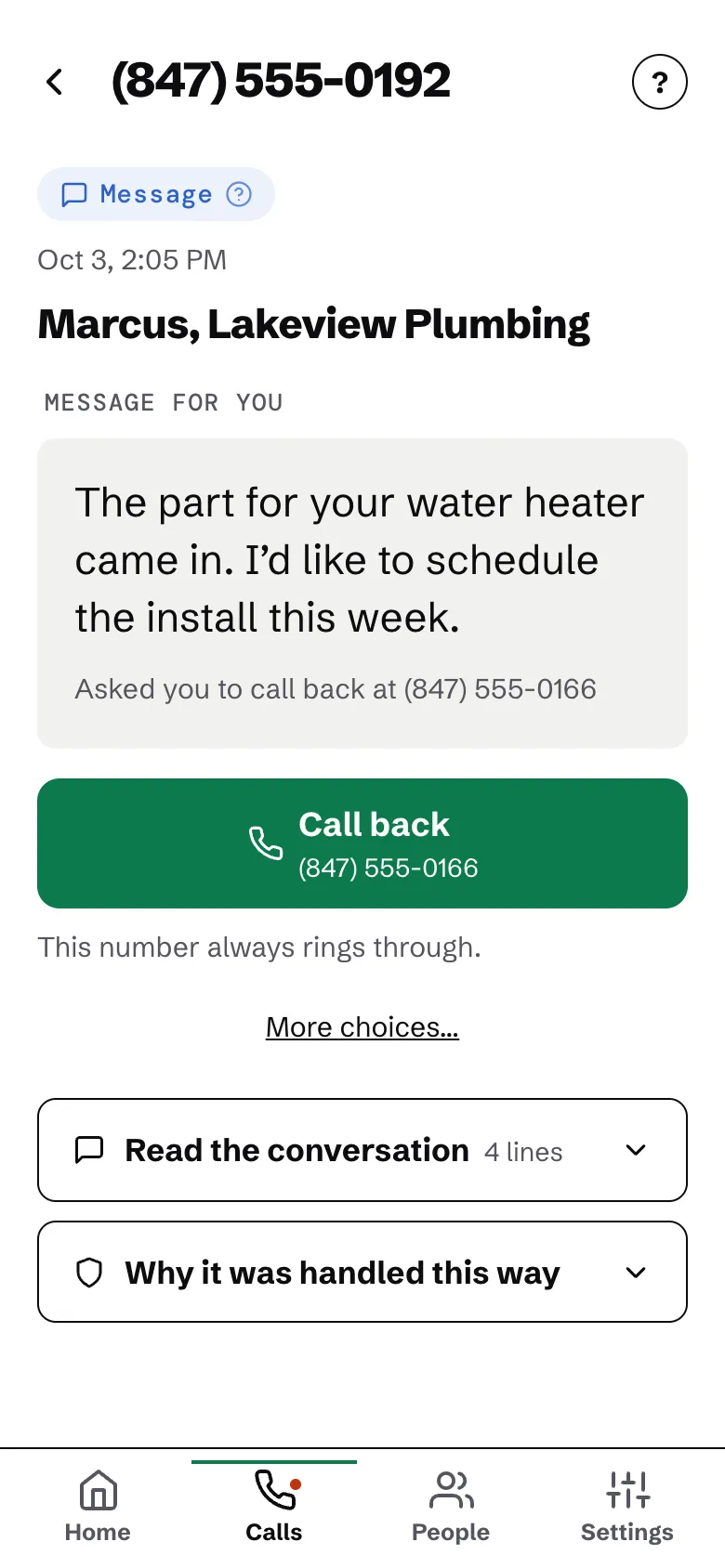
Your phone stays quiet while your assistant answers. It asks who’s calling and why, then decides:
- A call you’d want: your phone rings from your screener number. Answer, hear a short summary, and press 1 to take the call.
- It can’t tell: it takes a message, and you get a notification with what they said.
- Sales and scams: turned away without ringing you. You can still see what happened.
People in your contacts ring as usual.
Setup, step by step
Setup walks you through each step with your own number filled in. It takes a few minutes.
- Step 1
Get the app
Get Call Screener on Google Play and sign in with your email.
- Step 2
Save your screener as a contact
Calls your assistant puts through come from your screener number. Saving it lets your phone recognize them.
- Step 3
Let Call Screener screen calls
In the app, allow it to screen calls. If your phone has its own spam filter, turn it off so calls can reach your assistant.
- Step 4
Turn on call forwarding
Dial your carrier’s code on your phone’s keypad (T-Mobile has three), so the calls you don’t answer reach your assistant. See the codes for Verizon, AT&T or T-Mobile.
- Step 5
Check that it works
Setup places a short test call to make sure forwarding is on.
The app needs Android 10 or newer and Google Play. On Android 9 or older, or a phone without Google Play, it can’t quiet unknown callers yet.
Start with 7 days free
Then $14.99 a month. A card is needed to start; nothing is billed until the trial ends, and you can cancel any time. Setup takes a few minutes.